Related

  • Want to Increase Podcast Downloads? Change Your Tagline!

    https://youtube.com/watch?v=ByzRJ1j2HIk


    Growing your podcast is hard…but there are a few small, but significant changes you can make to attract more of the right listeners and grow your podcast. Last month I made this single change to something with my show, How I Built It, and it lead to a 24% increase in downloads over those 30 days. You should too.

    What was the change? I updated the tagline

    The original tagline was Helping You Build Better Content. I changed it to, Free Coaching Calls from Successful Creators.

    Get 40+ Automations for FREE!

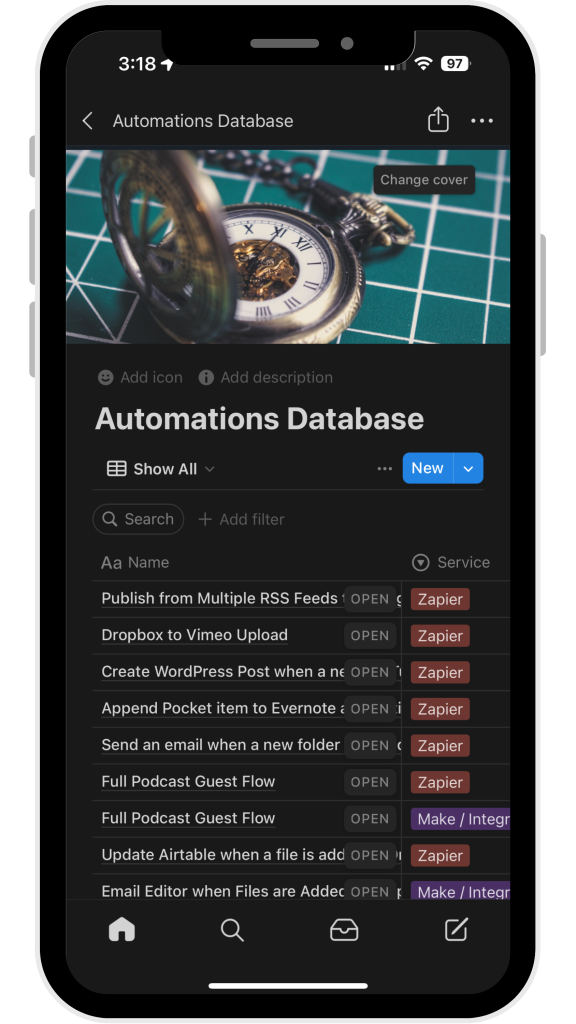
    One of my clients asked how I run 3 podcasts with 3 kids at home. The answer: my automations. And for a limited time, you can get access to the entire database. That’s over 40 automations for Zapier, Make, Shortcuts, and more.

    Get Instant Access using the form below:

    Full Automation Database

    This field is for validation purposes and should be left unchanged.
    First Name(Required)

    In this Video

    1. Why the old tagline was bad
    2. What makes the new one good
    3. A look at the stats, and the 25 increase in downloads
    4. What you should think about when crafting a podcast tagline
  • I was on Leverage Your Podcast

    I had the pleasure of chatting with Lyndsay Phillips on Leverage Your Podcast to talk all about workflows, automation, and how to best leverage your time! We cover:

    • My go-to automation tools to streamline and automate podcast production
    • How documenting standard operating procedures (SOPs) and utilizing project management tools can save time and money
    • How AI tools like Descript and CastMagic can assist in editing and content creation, allowing for quicker turnaround times and improved productivity.
    • Tips for onboarding and training a virtual assistant (VA freeing up your time for more critical activities.

    It was a fantastic conversation. You can listen to it below

  • The Automate PER Task Framework: A Podcaster’s Guide to Focused Productivity

    As a busy podcaster, you’re constantly juggling multiple responsibilities. It’s easy to feel overwhelmed by the sheer number of tasks on your plate. But what if I told you there’s a way to streamline your workflow and focus on the tasks that truly matter?

    I was thinking through this very issue when I cam up with the Automate PER Task Framework – a simple yet powerful approach to help you identify which tasks you should keep, delegate, or automate.

    Read More “The Automate PER Task Framework: A Podcaster’s Guide to Focused Productivity”
  • Are You Optimizing Your Podcast Name for Discovery?

    There are very few people who can go by just one name.

    Prince. Madonna. Wednesday. If you Google any of these folks, the person you’re thinking of right now will show up first in the results. That won’t work for everyone.

    Heck, the current U.S. President has a name so common, people are called, “Average Joe.” And indeed, if you google “Joe,” the president is on the first page, but just barely.

    Luckily, when we name people, we don’t need to optimize for discoverability, SEO, or uniqueness. We have other factors (like last name and SSN here in the U.S.) to consider.

    But naming your podcast — well that’s another story.

    What’s in a Podcast Name?

    One of the most common mistakes I see when I do my podcast audits is not optimizing the podcast name for discovery.

    I made this mistake for a long time. How I Built It is a fun name, but not great for discovery, and there are several shows with similar names.

    How my show ranks on just the podcast name
    How my show ranks on just the podcast name

    Since changing it to How I Built It – Case Studies & Coaching for Creators and Solopreneurs, I’ve seen a 20% increase in downloads month over month without doing anything else differently.

    I also rank high for the term “Solopreneurs” and will occasionally rank number one for “Coaching for Creators.”

    Including Solopreneurs in my podcast name has helped it show up in more places.
    Including Solopreneurs in my podcast name has helped it show up in more places.

    Make Your Podcast Name Descriptive

    Make sure your title is descriptive, and includes terms your audience is searching for…especially in Apple Podcasts, where the show’s description doesn’t factor into search.

    But don’t keyword stuff. There’s a difference between a helpful title and just shoving words you want to rank for into it.

    “How I Built It – Coaching for Creators, Coaching for Solopreneurs, Entrepreneurs, solo business owners, podcasters, newsletter operators, parent solopreneurs, and anyone making money online,” doesn’t work. It’s too long, and obvious keyword stuffing.

    Title + a good tagline with 2-3 helpful terms should do it. The rest you can handle in episode titles and descriptions.

    If you’re not sure where to start, ask your audience how they describe your show.

    Or you can use a tool like Voxalyze to do some podcast-specific keyword research, and see where your show ranks.

  • How to Easily Remove Filler Words (and Why You Shouldn’t)

    https://www.youtube.com/watch?v=0YxGM3R4aBQ

    A lot of podcasters cringe when they listen to themselves hear filler words like “um,” “like,” and “you know,” too much. The folks at Descript know this and have made it SUPER easy to remove those filler words…but the real question is: should you?

    How to Remove Filler Words with Descript

    Descript's Remove Filler Words panel

    This process is pretty straight forward, as you’ll see in the video:

    1. Add a podcast episode to Descript and make sure it’s transcribed.
    2. You’ll notice filler words, transition words, and repeated words are underlined in blue.
    3. Right click on any of those words and choose “Remove Filler Words”
    4. On the left, all of the filler words will be highlighted. In the search box above the list, you can select and deselect words as well. If you want to keep in the “you knows,” you can!
    5. On the bottom, click “Apply” or “Apply to all” to remove all filler words in one fell swoop.

    Podcast Booster Blueprint

    Use my 10-year podcasting journey to put your podcast on the right track. 

    Get my free Podcast Booster Blueprint now. In this email course, I’ll walk you through 5 changes you can make in minutes to:

    • Attract and keep your ideal listeners
    • Skyrocket your downloads
    • Start making money (now) 

    No hacks. Only Real actionable tips I test for you. 

    Podcast Planners

    This field is for validation purposes and should be left unchanged.
    First Name(Required)

    Why You Shouldn’t Remove Filler Words

    So there’s how to do it. But I’d advise against it. The main reason is this: you will end up with a less natural sounding conversation.

    When there are no filler words, it’s usually because someone is reading, or has memorized a script. In normal conversation, we all use filler words. Removing them makes you sound a bit robotic.

    Even if you want to remove some, doing this in Descript will take some time. You want to make sure you don’t get any unnatural edits.

    Plus, no one is a harsher critic on us than us. So if you’re editing your own episodes, you will likely want to edit more than you should because you’re worried about how you sound. But the truth is, if the content is good, most people won’t care or notice you said “um” too many times.

    Finally, the more you podcast, the better you’ll get, so you’ll start to say those filler words less. Relying on a tool is no replacement for getting better at your craft!

    Still…Descript makes it really easy for the times you feel you need it.

  • How to Improve Audio Recordings at Home

    Recording audio at home can be tough, especially if you don’t have the environment. On top of that, what app do you use to record, and how can you prevent that “robot voice” that happens if you’re recording online with other people. Let’s take a look at a few helpful techniques.

    Read More “How to Improve Audio Recordings at Home”

Join the Discussion