Related

  • Use Dynamic Content for Timely CTAs

    Today I want to talk to you about DAI, or Dynamic Ad Insertion. DAI is a way for you to automatically insert ads (or any audio clip) into your already produced podcast episodes. There are lots of services that allow this, like Transistor and Buzzsprout, which makes it super easy. The way it works is this:

    1. You upload your episodes
    2. You upload the audio clip you want dynamically inserted
    3. You mark whether it’s a pre-roll, post-roll, or mid-roll ad You can also (based on the service) set an expiration date, or manually turn it on or off. This allows you to do a few things, but the two I’m using it for are:
    4. Selling a limited run ad-campaign (so a 30 day mid-roll on specific episodes)
    5. Dynamically changing my call to action depending on the time of year. I got the latter idea from my guest Sam Munoz . Most of the year, I’m promoting my newsletter (this very newsletter, in-fact). But when there’s some time-based event or special, I’ll be promoting that instead, without have to re-edit every episode. 

    What do you think of DAI? Can you see it being useful for your podcast?


    ★ Support this podcast ★

  • The One Thing All Podcasters Can Do to Engage More Listeners

    Taking the leap to begin your own podcast can feel intimidating. When I talk to folks who are considering getting into podcasting or who have recently begun releasing episodes, a lot of the same questions come up.

    Can podcasting help me sell my course/book/product? Do I need a website for my podcast? How do I get more listeners? Is this even the right time to start podcasting?

    If you find yourself asking any of these questions, I want to assure you that it’s not too late to build a successful podcast that will complement your work. Keep reading to learn:

    • Why the best thing you can do to support your podcast is to create a dedicated web page for every single episode.
    • What to include on a robust show notes page.
    • How to avoid a common podcaster mistake and how to get your listeners to do what you want.

    I have long encouraged anyone who is interested in starting a podcast to do so, and as an author and course creator myself, I strongly believe that podcasting is one of the best marketing and promotion tools available. But with so many great shows out there, active podcast listeners may wonder if podcasting has reached a saturation point. I think the numbers suggest otherwise.

    Buzzsprout reports that as of October 2021 there are 2.1 million podcasts, and only 64% — or 1.4 million — are active. By comparison, there are more than 37 million YouTube channels (yet you rarely hear anyone suggest that video content has reached saturation).

    Perhaps a bigger challenge than competition from other podcasts is the issue of holding your listeners’ attention. The very thing that makes podcasting so powerful is its intimacy — listeners will invite your voice into their ears at home, in the car, while commuting, gardening or exercising. And while this is a great way to get potential customers to know, like and trust you, it also means that your listeners are multitasking — and likely not hanging on your every word.

    Based on Episode 232 of How I Built It, here’s a look at how to use your podcast’s website to connect with your audience and grow your podcast.

    Your podcast needs a website

    When your focus is on creating great podcast episodes, it can be tempting to push other things — such as building a website — off to the side. After all, listeners can find your podcast on any number of platforms that offer a feed page. Why not just send people there?

    The problem with relying on feed pages from Apple or your podcast hosting platform is that they are limited in their capabilities and objectives. A podcasting platform is all about syndication, whereas your objective as a podcaster is to welcome and connect with listeners, and ultimately to engage them with your product, course, book, etc.

    A great website will turn your podcast from a one-way street (you post episodes, they listen, end of story) into a two-way street where you invite listeners to join your community, your mailing list or your paid membership.

    Podcast Booster Blueprint

    Use my 10-year podcasting journey to put your podcast on the right track. 

    Get my free Podcast Booster Blueprint now. In this email course, I’ll walk you through 5 changes you can make in minutes to:

    • Attract and keep your ideal listeners
    • Skyrocket your downloads
    • Start making money (now) 

    No hacks. Only Real actionable tips I test for you. 

    Podcast Planners

    This field is for validation purposes and should be left unchanged.
    First Name(Required)

    What to put on your podcast’s homepage

    Your podcast website doesn’t need to be fancy, but you should include a few essential elements on the homepage to help listeners know they’ve arrived at the right place.

    • Your podcast artwork, for easy visual recognition
    • A headline that describes the mission of your show
    • A brief description of your show with a clear way to listen (This could be your latest episode or a link to a list of episode pages — more on that below.)
    • Subscribe buttons (I like the Podcast Subscribe Buttons plugin for WordPress.)
    • A bit about you, why you started the show and what listeners will learn
    • An opt-in to your email list

    Every episode needs its own web page

    The #1 recommendation I offer to podcasters is this: create a dedicated show notes page for each and every episode of your show.

    Why? A dedicated episode page provides ONE destination where listeners can find all of the information they are looking for — including ways to connect.

    🎤 Top Tip: Make your show notes URLs something that is easy to say and remember. I use the structure https://howibuilt.it/EPISODE-NUMBER and have that URL redirect to one that is more search engine-friendly.

    What to put on each episode’s show notes page

    Here are the elements that every episode page should include:

    🎧 An audio player where someone could listen to the episode right then and there

    📝 A couple of paragraphs of description (which could be the same as what you put into your podcast summary on your feed)

    🔗Relevant links — It’s OK not to include every single thing that’s mentioned, but do make sure you cover any book recommendations, on-topic tools and a way to connect with your guests

    💡 Top 3-4 takeaways from the episode — These provide great context to help listeners decide whether to listen, as well as more content for search engines to crawl

    👍 Social media share buttons

    💜 Subscribe buttons

    🖱️ A clear call-to-action — mailing list sign-up, content upgrades, paid membership, etc.

    Why clear calls-to-action matter

    If you’re a podcast listener, you’ve heard the standard episode closing, which sounds something like this:

    Hey, thanks so much for listening. Be sure to rate us and review us on Apple Podcasts, follow us on Apple Podcasts or wherever you listen to podcasts. Be sure to share this with a friend. Check out the show notes over here. Thanks to our sponsors, blah, blah, blah…”

    This is one of the most common mistakes I see among podcasts. It’s just too many things to throw at your audience, who — as I mentioned — are likely involved in doing something else while they listen to your show.

    Your clear call-to-action should be ONE thing and one thing only.

    Make your clear call-to-action work for you

    Keeping your calls-to-action (or CTAs) simple doesn’t have to limit your creativity or lock you into one request forever. Here are some ways to change it up while still keeping things straightforward for your listener:

    • Experiment with what works best. Use a single CTA — like “sign-up for my newsletter” for a few episodes and see if you notice a bump in subscriptions. If it’s not working how you wanted, change it up for the next few episodes.
    • Use a single destination (the show notes page), but change up the CTA that accompanies it. Think of the episode page as the portal to everything related to your show, so whether you’re asking people to check out your membership or share the episode with a friend, they’ll know the episode page is where they can find what they need.
    • Don’t wait until the end to make your request. I’ve been sharing my clear CTA right at the beginning of each episode, and it’s working out really well.
    • Repeat, repeat, repeat! You can’t overstate your clear CTA, so be sure to mention it several times throughout the episode.

    📧 Top Tip: Building your email list is a great place to focus. The social media outages in October 2021 were a great reminder that you might not always be able to rely on third-party platforms to reach your audience. When in doubt, point people to your email sign-up (on your show notes page)!

  • How to get More Comfortable Behind the Mic

    On my wedding day, I was standing inside the church, in front of the altar, welcoming the 200+ guests we had invited as they came in and found their seats.

    My friend Alex came up to me at some point at said, “Joey — you look so calm and comfortable. On my wedding day, I was a nervous mess.”

    It’s true. I was feeling great on my wedding day; I didn’t feel those nerves because I was used to being in front of people, and unlike some talks I gave, this was a friendly audience, ready to help us celebrate.

    That experience reminds me of a question I got while speaking at a conference back in 2019: “How do you get more comfortable speaking into the microphone.” I loved it because while I often focus on the technical aspects of creating a podcast, there can be a real issue with getting comfortable recording, especially if you’re doing a solo show. So my answer: get your reps in.

    Read the full story here: https://podcastworkflows.com/how-to-get-more-comfortable-behind-the-mic/


    ★ Support this podcast ★

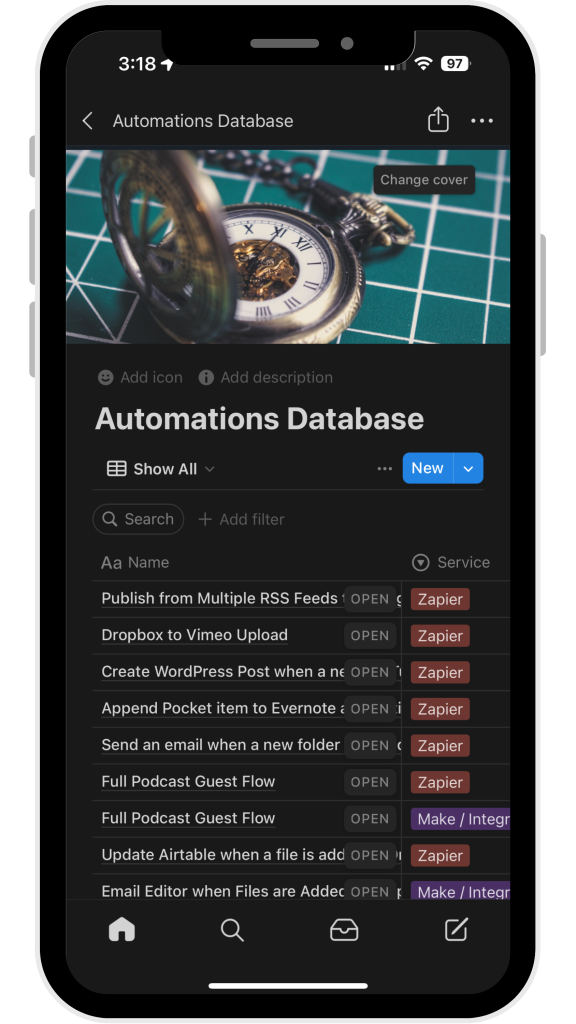
  • 4 Ways to Make Podcasting Easier Through Automation

    Podcasting is a time consuming effort, which is why many podcasts fall victim to the dreaded podfade1. It can sometimes feel like you need a herculean effort to get it all done. Come up with topics, find and book guests, coordinate schedules, do the tech checks, record, post production, then publishing and promoting. That’s why putting a process in place and moving things off of your plate is a must. Here are 4 tasks you can take off your plate thanks to automation.

    Read More “4 Ways to Make Podcasting Easier Through Automation”
  • How to get More Comfortable Behind the Mic

    On my wedding day, I was standing inside the church, in front of the alter, welcoming the 200+ guests we had invited as they came in and found their seats.

    My friend Alex came up to me at some point at said, “Joey — you look so calm and comfortable. On my wedding day I was a nervous mess.”

    It’s true. I was feeling great on my wedding day; I didn’t feel those nerves because I was used to being in front of people, and unlike some talks I gave, this was a friendly audience, ready to help us celebrate.

    That experience reminds me of a question I got while speaking at a conference back in 2019: “How do you get more comfortable speaking into the microphone.” I loved it because while I often focus on the technical aspects of creating a podcast, there can be a real issue with getting comfortable recording, especially if you’re doing a solo show. So my answer: get your reps in.

    Meant to Perform

    In my answer to Travis, the guy who asked the question, I mentioned that I was in Drama Club. In fact, I did it from second grade (around 7 or 8) through high school. I tried out in college but was involved in too many other things…I truly miss being in plays! But that’s beside the point.

    The point is that my second grade teacher, Miss McCullough1 knew that I’d be a good performer because of the way I acted in the classroom. And she encouraged that in me. I’m eternally grateful for that encouragement, because I know it made me more comfortable as a public speaker, teacher, and podcaster.

    When someone else asked if I recommend taking drama classes (or the like) to be more comfortable, I responded that I never took classes myself, but I don’t recommend it. Here’s why.

    I was Uncomfortable my First Time Recording

    Even with all of my stage, speaking, and teaching experience, I was a little uncomfortable sitting down in front of my computer to record. You can tell in some of my earlier videos and episodes.

    It’s a different experience. There’s no crowd energy or fellow cast members to feed off of. Especially if you’re doing a solo show, it’s just you, your computer and a mic. So it can feel a little weird, speaking as if you’re taking to someone, making eye contact with your camera, having a one way conversation.

    Get Your Reps In

    There’s a common saying in work out circles that I’ve heard being used elsewhere: get your reps in. Basically, the best way to get good at something is to continually do it. Recording a Podcast is no different.

    The best thing you can do is keep recording episodes to get better. I heard some fantastic advice on Episode 500 of Mac Power Users: assume you’ll record a few demos first.

    This goes hand-in-hand with my advice of recording 5-10 episodes before you do anything else. It will help you get more comfortable, find your voice, and it will help you get some reps in.

    You Don’t Need to Publish Everything

    The best part of doing some demo episodes is you don’t need to publish them. Like a QB reviewing a training camp tape, you can listen to those recordings, take note of what you want to change, and try again. Then, after a few tries, publish!

    Try, then Publish

    Notice I didn’t say, “when you’re happy with the results,” or, “when it’s perfect.” You probably won’t think it’s perfect at the beginning. I still don’t. But 400+ episodes in, and I’m comfortable enough to just hit record and get it done.

    1. Now Sister Mary McCullough
  • How the Trailer Park Podcast Got 10,000 Downloads in 6 Weeks

    Arielle Nissenblatt eats, sleeps, and breathes podcasts.

    • Her main job is with a podcast company.
    • Her newsletter is all about podcast curation.
    • She runs a podcast community on Discord.

    She loves podcasts so much that she, along with her co-host Tim Villegas, produce a podcast about podcasts. Well really, about podcast trailers specifically. It’s called Trailer Park.

    You might think that this is too niche, but they got 10,000 downloads in just a few weeks. Their outreach process was crucial to achieving that goal. Read on to learn how they did it.

    IN THIS ISSUE

    • Why a super-niche podcast is the path to success
    • Spending some time in the edit can greatly enhance your show
    • Pitching and direct outreach is still the best way to grow your podcast

    Read the full article here: https://podcastworkflows.com/trailer-park-podcast/


    ★ Support this podcast ★

Join the Discussion